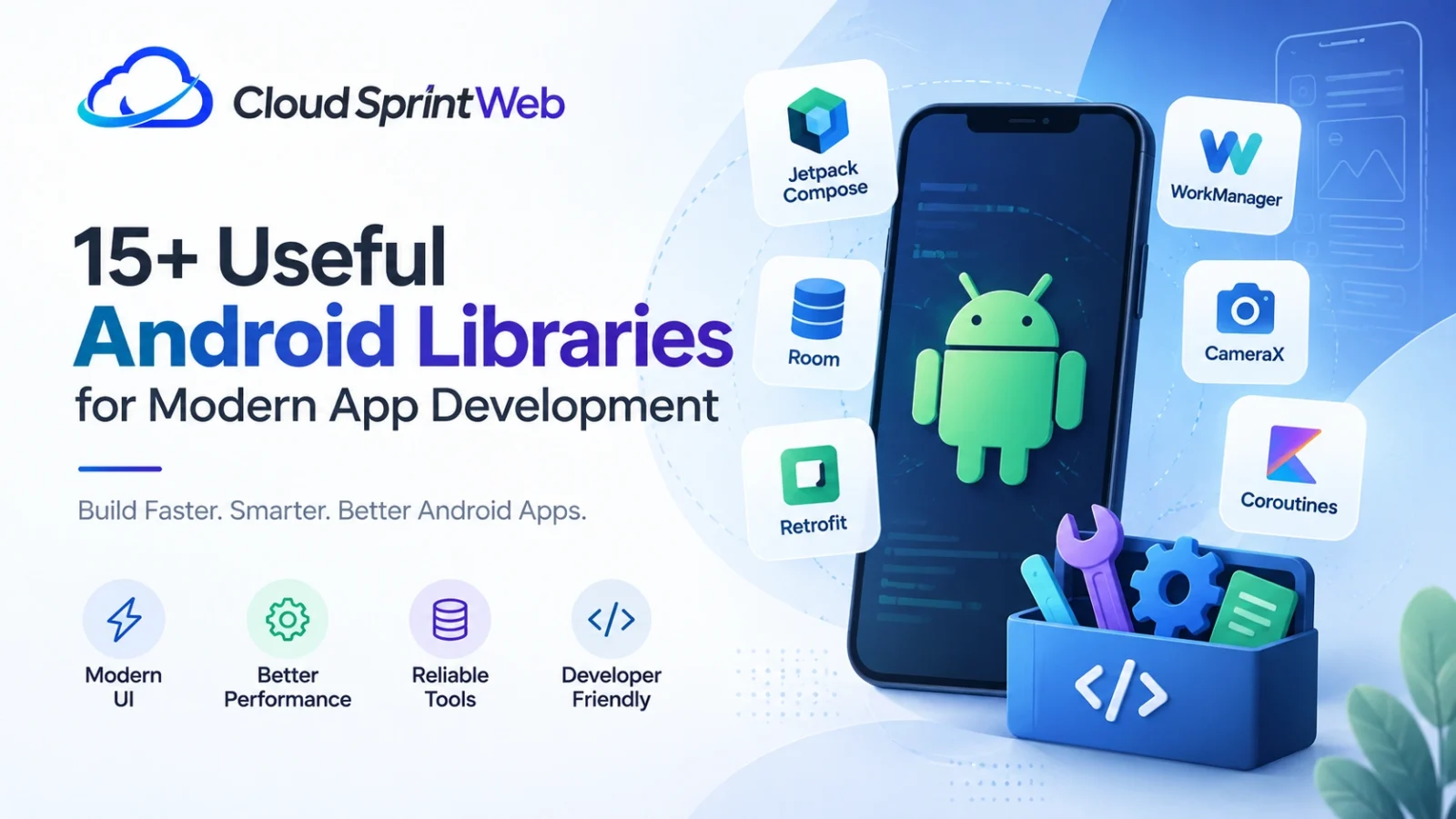
Building a modern Android app rarely means writing everything from scratch. Developers rely on libraries to handle UI components, navigation, local storage, background work, image loading, networking, animations, and other repetitive tasks.
An Android showcase library can be particularly useful when you want to demonstrate UI components, onboarding flows, animations, interactive elements, or ready-to-use screens inside an Android project.
But showcase libraries are only one part of the Android ecosystem. There are also powerful Android native libraries, Jetpack components, UI libraries, database tools, networking solutions, and Android loader libraries that can make development faster and more reliable.
In this guide, we’ll explore 15+ useful Android libraries and library categories for modern app development, what they do, and when developers should consider using them.
What Is an Android Showcase Library?
An Android showcase library is generally used to demonstrate or highlight elements of an Android application’s interface.
For example, a showcase component can help introduce users to:
- A new button or feature
- Navigation elements
- Important app controls
- New UI functionality
- Onboarding steps
- Interactive product features
- Specific areas of an application
Instead of showing users a completely new interface without context, a showcase experience can visually guide them through important parts of the app.
This makes showcase libraries especially useful for onboarding, feature discovery, product tours, tutorials, and UI demonstrations.
However, it’s important to distinguish a showcase library from a general-purpose Android development library. A showcase library solves a specific UI or onboarding problem, while libraries such as Room, WorkManager, and Navigation address broader application-development requirements.
Android Jetpack itself is a suite of libraries designed to reduce boilerplate and help developers follow Android development best practices.
15+ Android Libraries to Know for Modern App Development
There isn’t one “best” Android library for every project. The right choice depends on the application’s requirements, architecture, performance goals, and UI approach.
Here are some of the most useful categories and libraries to consider.
Jetpack Compose
Jetpack Compose is Google’s modern toolkit for building native Android interfaces.
Instead of relying entirely on traditional XML-based layouts, Compose allows developers to describe UI using Kotlin composable functions.
It is particularly useful for:
- Modern application interfaces
- Reusable UI components
- Responsive layouts
- Animations
- Material-based designs
- Rapid UI development
For developers building new Android applications, Compose is an important part of the current Android UI ecosystem. Android describes Jetpack Compose as a modern toolkit intended to simplify and accelerate native UI development.
Android Navigation
Navigation libraries help developers manage how users move through an application.
An Android application may contain multiple screens, nested destinations, dialogs, or different navigation flows. Managing these manually can quickly become complicated.
The Android Navigation framework provides APIs for navigating between destinations and supports different Android UI architectures.
For newer Compose-first applications, developers should evaluate the current Compose navigation recommendations rather than automatically adopting older patterns.
Room
Room is one of the commonly used Android Jetpack libraries for working with persistent local data.
It provides an abstraction layer over SQLite and can make database operations easier to organize within an Android application.
Typical use cases include:
- Offline-first applications
- Cached API data
- User preferences and application data
- Structured local records
- Offline search
Room is included among Android’s recommended Jetpack components for data persistence.
WorkManager
Some tasks should continue even when the user isn’t actively interacting with the application.
Examples include:
- Uploading data
- Synchronizing information
- Processing background work
- Periodic application tasks
- Deferred operations
WorkManager is part of Android Jetpack and is designed for persistent background work.
CameraX
If your application needs camera functionality, CameraX can simplify development compared with directly managing every low-level camera interaction.
Common use cases include:
- Photography apps
- Document scanners
- QR and barcode applications
- Video applications
- Camera-based utilities
Android lists CameraX among the Jetpack libraries available for Android development.
Material Components
Material components provide reusable interface elements based on Google’s Material Design system.
Depending on your UI architecture, these components can help create:
- Buttons
- Cards
- Navigation elements
- Dialogs
- Input fields
- Menus
- Progress indicators
They can reduce the amount of custom UI code required while helping maintain a consistent visual language.
Android Loader Libraries
An Android loader library can help display a visual state while an application is loading information or performing an operation.
For example, an app might need to show a loader while:
- Fetching API data
- Uploading a file
- Loading an image
- Processing information
- Waiting for a long-running operation
However, developers don’t always need a third-party loader library.
Jetpack Compose already provides
LinearProgressIndicator and
CircularProgressIndicator for determinate and indeterminate
progress states.
Android’s current documentation specifically describes progress indicators as a way to communicate loading or processing activity to users.
So before adding an external Android loader library, check whether the platform or your existing UI framework already provides what you need.
Coil
Images are common in modern Android apps, from user profile pictures to product catalogs.
An image-loading library can help with:
- Loading remote images
- Caching
- Image transformations
- Placeholder states
- Error handling
Coil is a popular Kotlin-focused option frequently used in Android projects, particularly when working with Compose.
Glide
Glide is another well-known image-loading solution for Android.
It can be useful when an application needs to efficiently display large numbers of remote or local images.
Common use cases include:
- E-commerce applications
- Social media feeds
- Gallery applications
- Profile images
- Content-heavy applications
When choosing between image-loading solutions, consider your project’s architecture, Compose usage, performance requirements, and existing dependencies.
Retrofit
Most modern Android applications communicate with a backend.
Retrofit provides a structured way to define HTTP API interfaces and work with remote services.
It can simplify API operations such as:
- GET requests
- POST requests
- PUT and DELETE operations
- JSON-based APIs
- Authentication workflows
- Data retrieval
For applications that depend heavily on remote APIs, a clean networking layer can make the codebase much easier to maintain.
OkHttp
OkHttp is another important part of the Android networking ecosystem.
It can handle HTTP and HTTPS communication and provides capabilities such as connection management and request handling.
Retrofit and OkHttp are often used together, although they serve different roles.
A simplified architecture might look like:
This separation helps keep networking concerns away from UI code.
Kotlin Coroutines
Modern Android applications frequently need to perform work without blocking the main UI thread.
Kotlin Coroutines help developers structure asynchronous operations in a more readable way.
They are commonly used for:
- API requests
- Database operations
- Background processing
- Concurrent tasks
- UI state updates
Coroutines are particularly useful when working with modern Android architectures built around Kotlin.
DataStore
Applications often need to store lightweight information such as:
- User preferences
- Settings
- Theme choices
- Feature flags
- Simple application state
DataStore is designed for storing key-value or typed data asynchronously.
For more complex relational data, a database solution such as Room may be more appropriate.
AndroidX Lifecycle
Android applications have complex lifecycle events.
Activities and other UI components can be created, paused, resumed, stopped, and destroyed.
Lifecycle-aware APIs help developers build components that respond appropriately to these changes.
This becomes particularly important when managing:
- UI state
- Observers
- Background operations
- ViewModels
- Data streams
ViewModel
ViewModel is commonly used to keep UI-related data available across configuration changes.
Instead of placing application state directly inside an Activity or UI component, developers can move appropriate state management into a ViewModel.
This can result in cleaner architecture and easier testing.
Android Native Libraries
The term Android native libraries can mean different things depending on context.
At the platform level, Android’s Native Development Kit (NDK) allows developers to use C and C++ code within Android applications.
Native code can be useful when an application needs:
- High-performance computation
- Low-latency processing
- Existing C or C++ libraries
- Native graphics
- Game development
- Specialized hardware-level functionality
Android’s documentation notes that the NDK can be useful for performance-intensive applications and for reusing existing C or C++ libraries.
NDK Native APIs
The Android NDK also provides native APIs and libraries for specific functionality.
The official NDK documentation lists native APIs related to areas such as:
- Audio
- Input
- Sensors
- Networking
- Storage
- Native activities
- Native windows
- Hardware buffers
- Graphics
- Media
These APIs are particularly relevant when you’re developing software that needs direct or performance-oriented native functionality.
Android Native Libraries List: What Should Developers Know?
If you’re specifically looking for an Android native libraries list, it helps to separate native development from ordinary Android libraries.
The Android NDK provides tools for implementing portions of applications using C and C++.
Native shared libraries can be compiled into .so files, while static libraries
can also be used in native projects. JNI provides the communication layer between
Java/Kotlin-side code and native C/C++ components.
Some areas covered by Android’s native APIs include:
| Native area | Example use |
|---|---|
| Audio | High-performance audio processing |
| Graphics | Rendering and visual effects |
| Sensors | Hardware sensor access |
| Input | Native input handling |
| Media | Media-related processing |
| Networking | Native network functionality |
| Storage | Native data access |
| Native Window | Low-level window functionality |
Developers should not automatically choose native code simply because it appears faster.
For many applications, standard Android APIs and Jetpack libraries are easier to maintain. The NDK becomes more valuable when there is a clear technical reason to use native code.
Android Showcase Library vs Android Native Library
These terms sound similar but solve very different problems.
| Feature | Showcase Library | Native Library |
|---|---|---|
| Main purpose | Demonstrate or guide users through UI | Provide native functionality |
| Typical technology | Kotlin/Java/UI framework | C/C++ and Android NDK |
| Common use | Onboarding and feature discovery | Performance-intensive tasks |
| UI focused | Yes | Not necessarily |
| Performance focused | Usually not | Often |
| Example use case | Product tour | Native image processing |
Understanding this difference is important when searching for an Android library.
A developer looking for a UI showcase component needs a very different solution from someone searching for an Android native libraries list.
How to Choose the Right Android Library
Adding a library should solve a real development problem.
Before adding one to your project, consider these factors.
Does the library solve a real problem?
Don’t add a dependency simply because it is popular.
If Android or Jetpack already provides the functionality you need, a native solution may be easier to maintain.
Is it actively maintained?
Check:
- Recent releases
- Open issues
- Documentation
- Compatibility
- Repository activity
- Community adoption
A library that hasn’t been maintained for years may create problems later.
Does it support your architecture?
Consider whether the library works well with your project’s approach, such as:
- Kotlin
- Jetpack Compose
- Coroutines
- AndroidX
- ViewModel
- Modern Android architecture
What is the dependency cost?
Every external dependency adds another component to your project. Before installing a library, consider:
- APK size
- Build time
- Transitive dependencies
- Security considerations
- Maintenance requirements
Is there an official Android alternative?
This is particularly important for common functionality.
For example, if you need a simple loading indicator, Compose already provides progress indicators.
Likewise, Jetpack already provides libraries for areas such as persistence, background work, navigation, and camera functionality.
When Should You Use an Android Showcase Library?
A showcase library makes sense when the application needs to explain its interface rather than simply display it.
Consider one when you’re building:
- A first-time user tutorial
- A feature-discovery flow
- A product walkthrough
- A complex dashboard
- A productivity application
- A business application with multiple controls
- An application introducing a major UI update
Key principle: The goal should be to make the interface easier to understand—not to add animations or overlays just because they look impressive.
When Should You Avoid a Third-Party Library?
Sometimes the simplest solution is the best one.
You may not need an external library when:
- Android already provides the required API
- Compose provides the UI component
- The feature requires only a few lines of code
- The library is abandoned
- The dependency creates unnecessary complexity
- The feature is unlikely to be reused
A smaller dependency footprint can make an application easier to maintain over time.
Best Android Libraries by Development Need
If you want a quick way to narrow down your options, use this guide:
Final Thoughts
The Android ecosystem has no shortage of libraries, but the best Android project isn’t necessarily the one with the most dependencies.
An Android showcase library can help create better onboarding and feature-discovery experiences. An Android loader library can improve feedback during loading and processing states. Jetpack libraries can simplify common application-development tasks, while Android’s NDK provides a path to native C and C++ functionality when a project has a genuine need for it.
The key is choosing libraries based on the problem you’re solving.
Start with the Android and Jetpack APIs available for your use case. Then consider a well-maintained third-party library when it provides meaningful functionality, saves development time, or delivers an experience that would otherwise require significant custom work.
That approach keeps your Android application modern, maintainable, and focused on what matters most: building a fast, useful experience for your users.
What is an Android loader library?
An Android loader library provides loading or progress UI while an application performs an operation. However, developers should first consider built-in or Jetpack Compose progress indicators before adding another dependency.
What are Android native libraries?
Android native libraries are libraries used with native Android development, commonly involving C or C++ code through the Android NDK. They can be useful for performance-intensive tasks or for integrating existing native libraries.
Where can I find an Android native libraries list?
The official Android NDK documentation provides information about native APIs and libraries available through the NDK, including functionality related to audio, graphics, input, sensors, storage, networking, media, and native activities.
Frequently Asked Questions
An Android showcase library is generally used to highlight UI elements and guide users through an application’s features. It can be useful for onboarding, tutorials, product tours, and feature discovery.
The right choice depends on the project. Jetpack Compose is useful for modern UI, Room for local persistence, WorkManager for persistent background tasks, CameraX for camera functionality, and other libraries can handle networking, images, storage, and asynchronous operations.
An Android loader library provides loading or progress UI while an application performs an operation. However, developers should first consider built-in or Jetpack Compose progress indicators before adding another dependency.
Android native libraries are libraries used with native Android development, commonly involving C or C++ code through the Android NDK. They can be useful for performance-intensive tasks or for integrating existing native libraries.
The official Android NDK documentation provides information about native APIs and libraries available through the NDK, including functionality related to audio, graphics, input, sensors, storage, networking, media, and native activities.

Cloud Sprint Web is a Web Development Company in Ahmedabad helping businesses build modern, responsive, and SEO-friendly websites that deliver real results.